Imaging findings
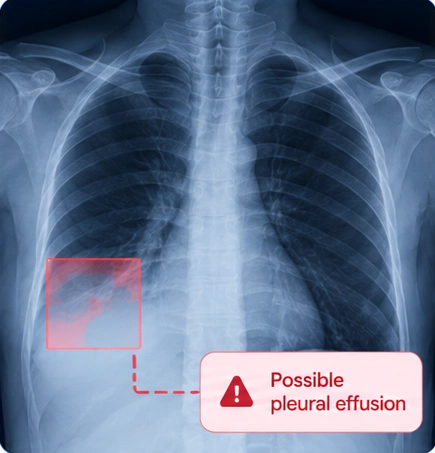
Organise findings such as chest nodules or suspicious lesions within the relevant imaging workflow.
SPECIALIST ASSESSMENT
Bring concerning imaging findings into a coordinated pathway for further evaluation. DiagnoSee connects the case, the report and the referral to the appropriate specialist team.
CLINICAL FOCUS
Organise findings such as chest nodules or suspicious lesions within the relevant imaging workflow.
Support referral to the appropriate department or institute for further evaluation.
Track referral status and follow-up through the diagnostic journey.
FROM FINDING TO ACTION
DESIGNED TO SUPPORT
Discuss the intended oncology workflow and modality coverage during the technical briefing. Dedicated cancer-model performance or validation is not specified in the platform presentation.
See the connected workflowAI output supports qualified clinical review. Diagnosis, treatment decisions and confirmatory assessment remain with the care team. Modality and model availability are confirmed during implementation.
IMPLEMENTATION
Prepare your requirements for imaging equipment, reporting, referrals and integration before a technical discussion.